Brand knowledge for the AI tools your team already uses
Your AI is brilliant. It just doesn't know your brand.
Define the facts that run your business once: locations, products, vendors, anything. Every person's AI assistant answers from them, sees only what that person is allowed to see, and can never change a fact without a person's approval.
Every AI conversation starts from zero on your business.
Generic answers
Ask an assistant about your locations or vendors and it guesses, or answers about someone else's.
Copy-paste context
People paste in spreadsheets that are out of date by Friday, and nobody knows who saw what.
Ungoverned edits
Tools that let AI write straight into your systems trade accuracy for speed, with no one checking.
How it works
One governed source of brand truth, in every assistant.
Model your brand, no code
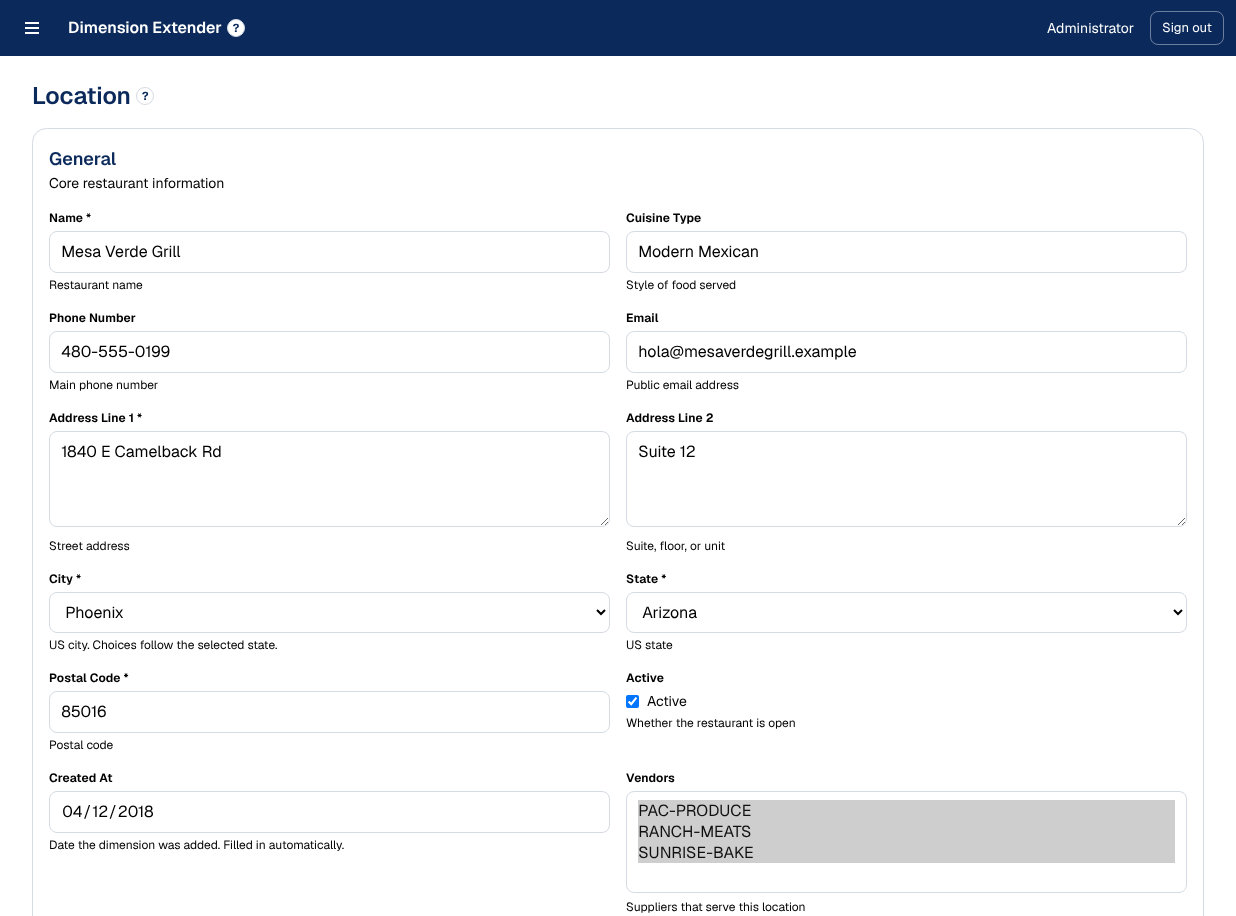
Add record types like Location, Vendor, or Product. Give each fact a name and a description, set validation and choice lists, and link records to each other.
Connect any assistant
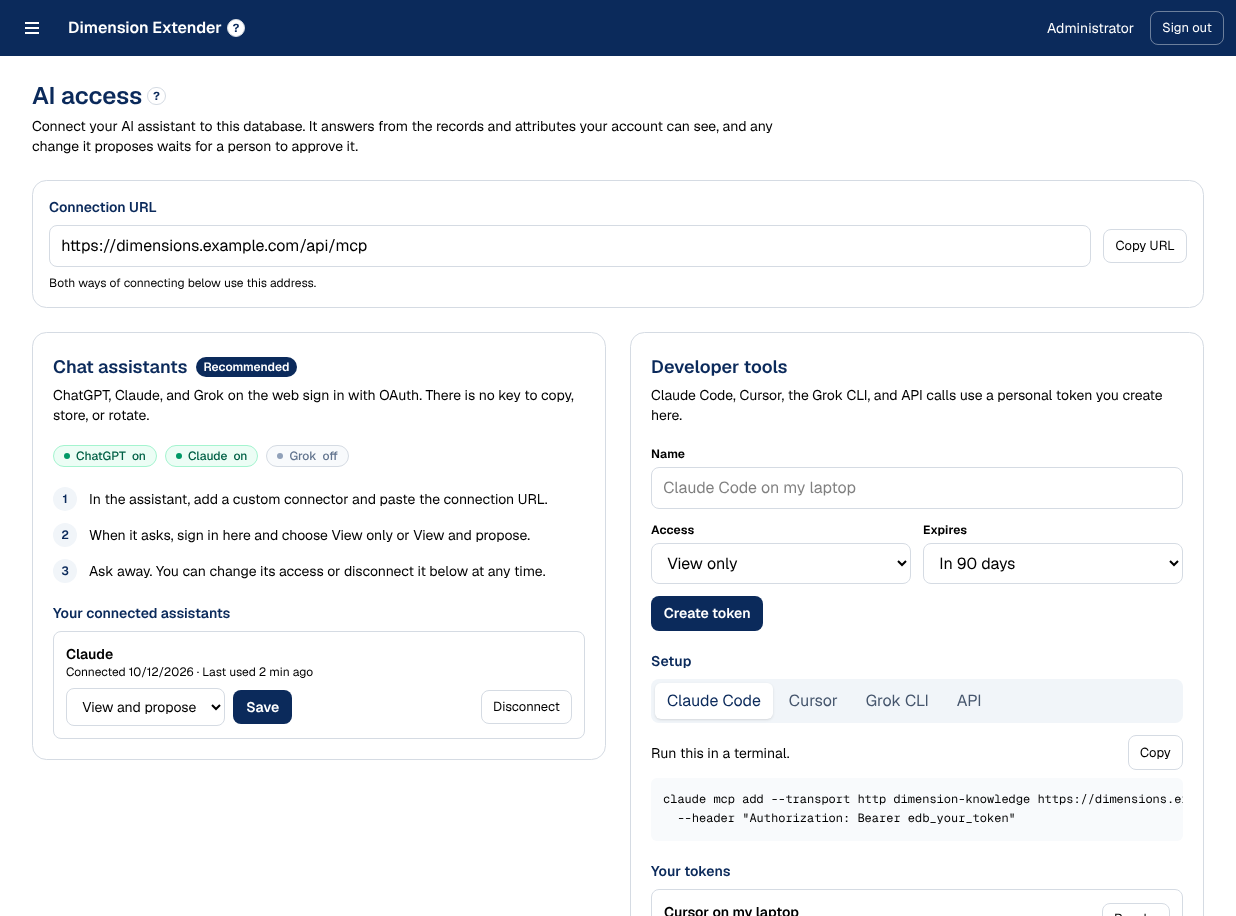
Each person adds it to Claude, Cursor, or any MCP-compatible assistant and signs in with OAuth. Their AI answers from your brand facts, within their permissions.
Keep it right, together
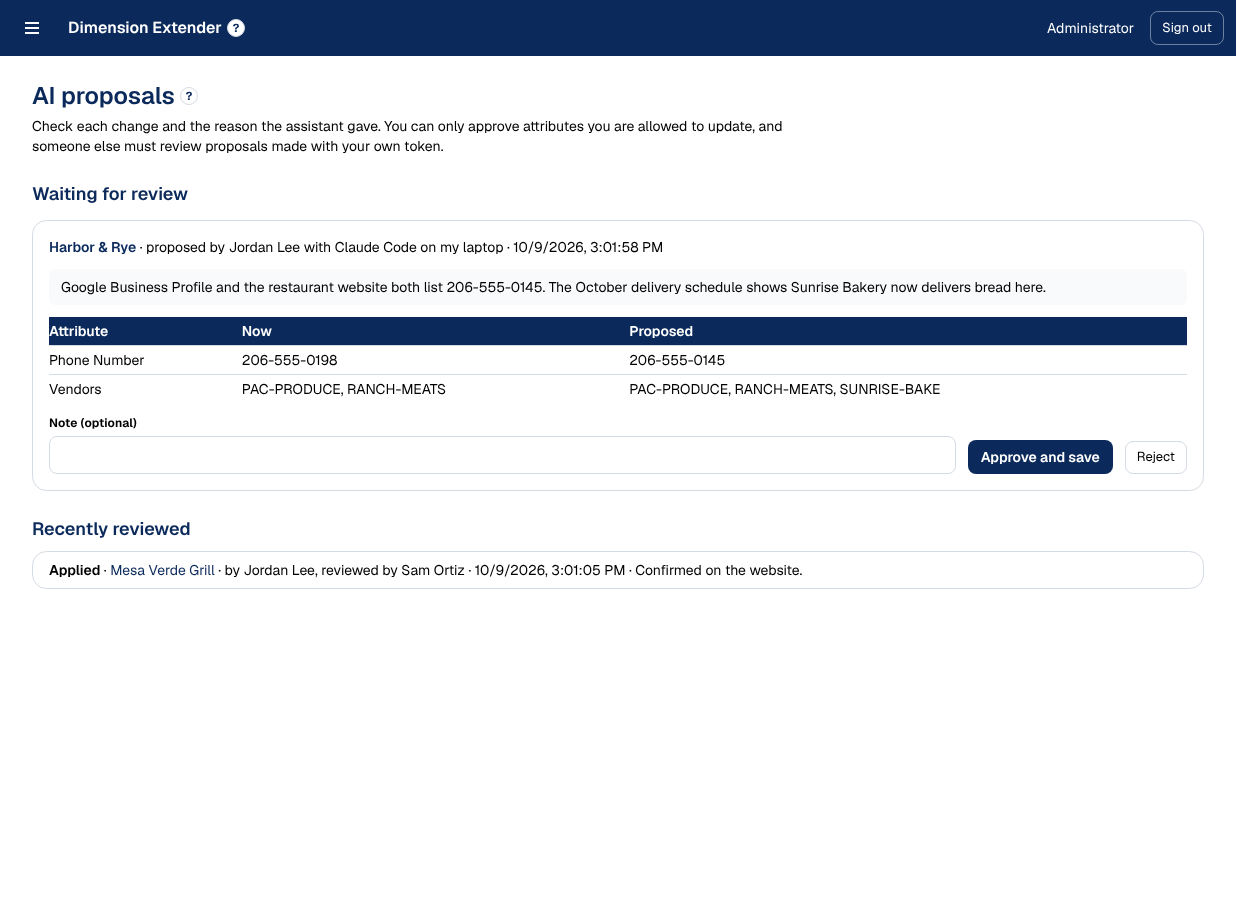
When an assistant spots something out of date, it proposes a fix. A person approves it, and the change is recorded like any other edit.
AI access
Brand knowledge in the AI tool you prefer.
Every question your team asks starts from the foundational brand knowledge you'd want it to have: current, explained, and limited to what each person may see.
Example conversation in an AI assistant
Connect with a sign-in, not a setup guide
Add the connector in your assistant and sign in with OAuth. No keys to copy or rotate. Personal tokens remain available for scripts and terminals.
Permission-aware by design
The assistant sees exactly what its person may see, down to the single attribute. Revoke access, and it stops at the next question.
Context, not just data
Names, descriptions, record types, and links travel with every fact, so the model understands what it is reading.
Always current
Answers come from live records, not a fine-tuned model or a pasted export. Update a record and the next question reflects it.
AI proposes, people approve
Assistants can suggest changes, checked against the same rules as your forms. A reviewer approves them, and every change is marked in the changelog.
The platform
Everything a governed system of record needs.
Administrators shape the data model in the browser. Everyone else gets a searchable grid and forms that change as the model changes. No migrations, no deploys.
Record types and links
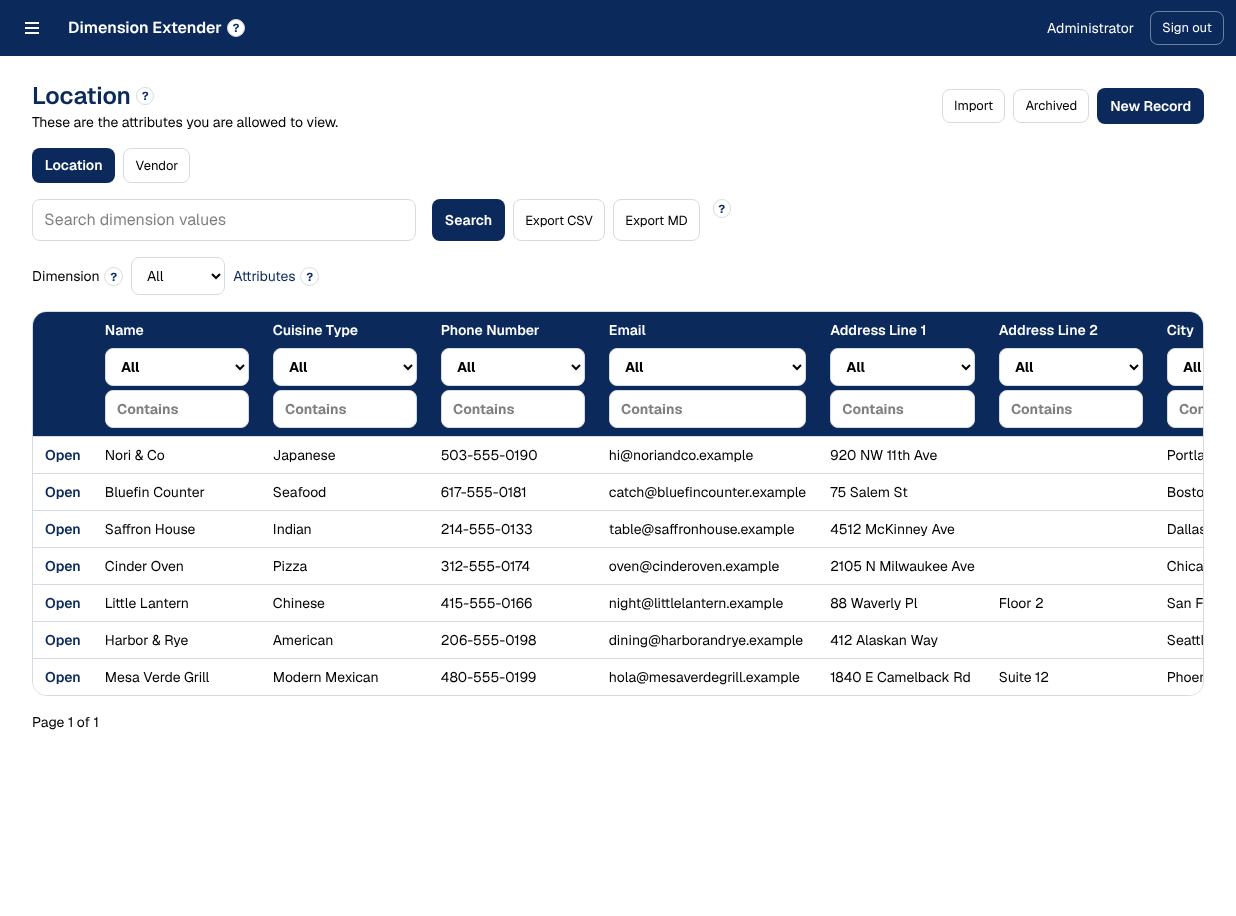
Keep locations, vendors, and products side by side, each with its own fields and identifier. Link a location to the vendors that serve it, and every vendor shows where it's used.
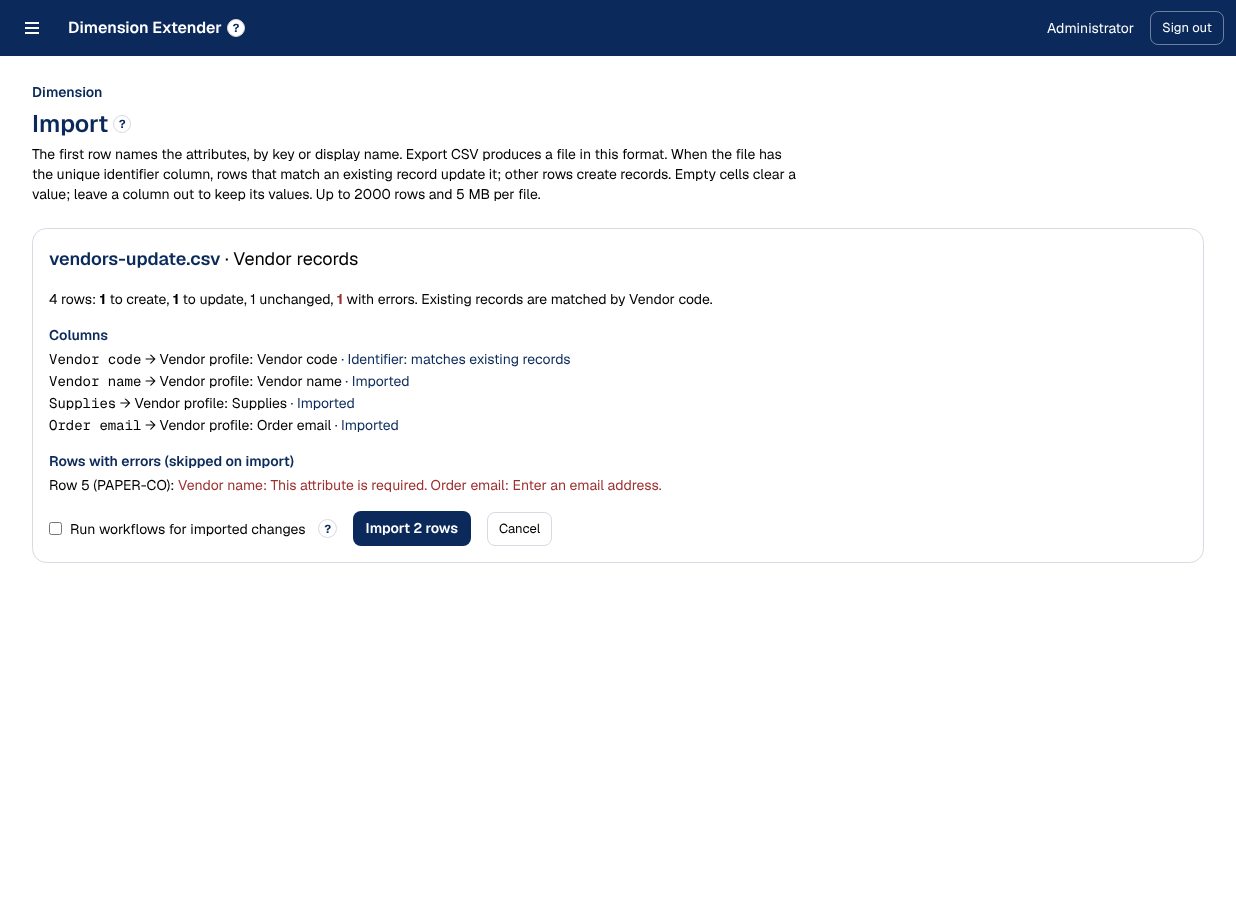
Import that checks first
Bring in a CSV and see exactly what will be created, updated, or skipped, and why, before anything is saved. Export, edit, and import back without reformatting.
Workflows
Notify the right people when a field changes, or start an action sequence with assignees, deadlines, and overdue alerts.
Changelog and audit log
Every edit keeps its before and after, who made it, and when. Every administrative change is logged too.
Field-level permissions
Grant view or edit by user, group, or department, down to a single attribute, and it holds everywhere.
Single sign-on
Sign in with Microsoft Entra ID, Google Workspace, Okta, or any OpenID Connect provider.
Webhooks
Push signed change events to your other systems, with automatic retries and a delivery log.
Partner feeds
Publish any slice of your data as JSON or XML for partners, behind a secret only you hold.
Cascading lists
Choice lists that follow each other, like cities by state, with no code.
Archive and restore
Retire a record without losing its history, and bring it back with its workflows intact.
Built for multi-location brands
Hundreds of locations. One version of the truth.
Restaurant groups, retail chains, and franchise systems run on facts that change every week: hours, contacts, vendors, menus, status. Keep them in one place, route changes through the right people, and let every team's AI answer from the same source.
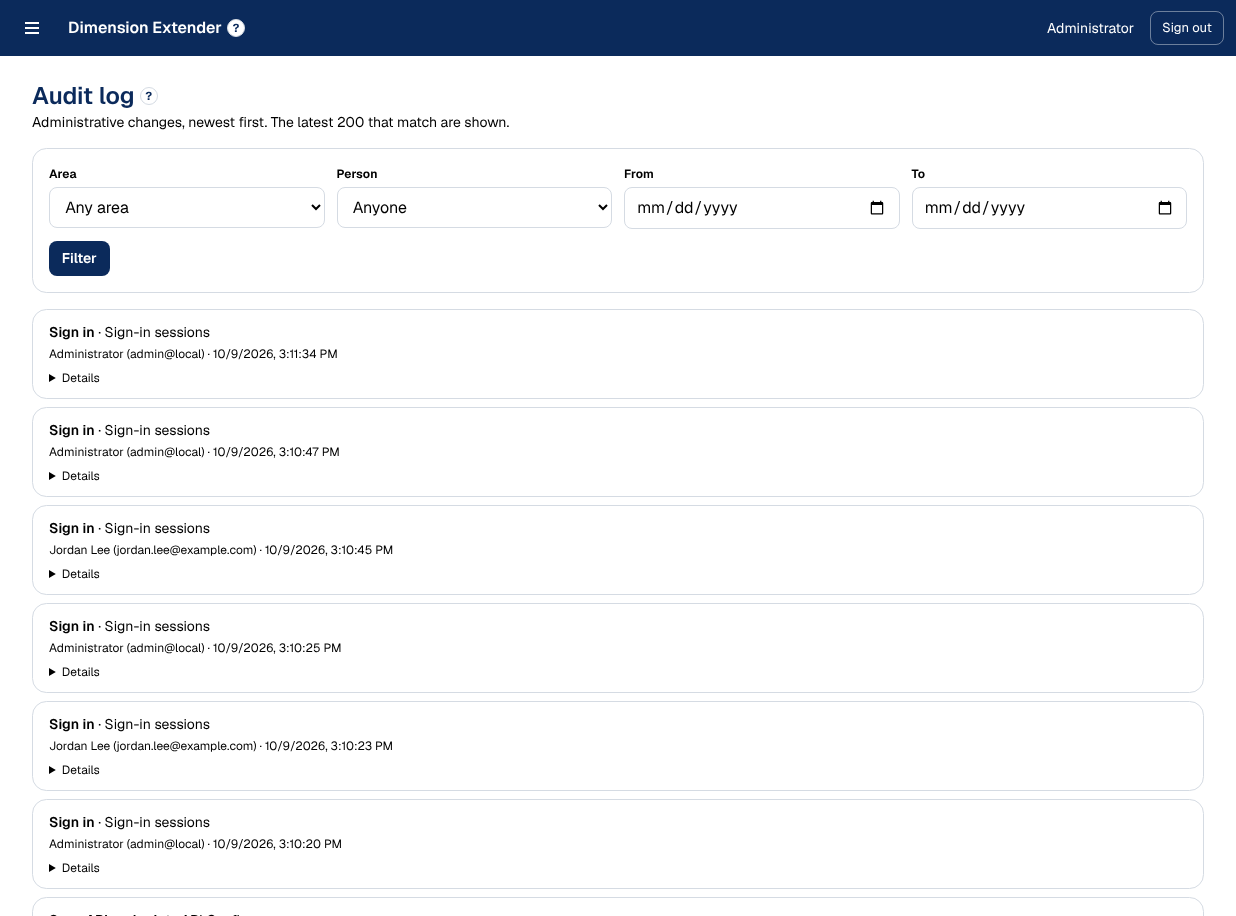
Security and deployment
Governance an IT leader can sign off on.
- Runs on your infrastructure. Deploy with Docker; your data stays where you put it.
- Secrets stored safely. Tokens and partner secrets are hashed and shown once; other credentials are encrypted.
- Revocable sessions. Sign people out everywhere; password changes and deactivation do it automatically.
- All-or-nothing saves. Records save completely or not at all, and unique identifiers can't collide.
- Brute-force resistant sign-in. A WAF and lockout features.
- A human in every AI change. Assistants propose; reviewers with the right permissions approve.
Give your team's AI the brand knowledge it's missing.
See it with your own locations, vendors, and products in a 30-minute walkthrough.
Request a demoinquiries@extensibledimensionmanager.com · Dimension Manager